Track Google Shopping Ads in Real Time
Learn how real-time tracking of Google Shopping ads can boost ROI and conversions through immediate data-driven adjustments.
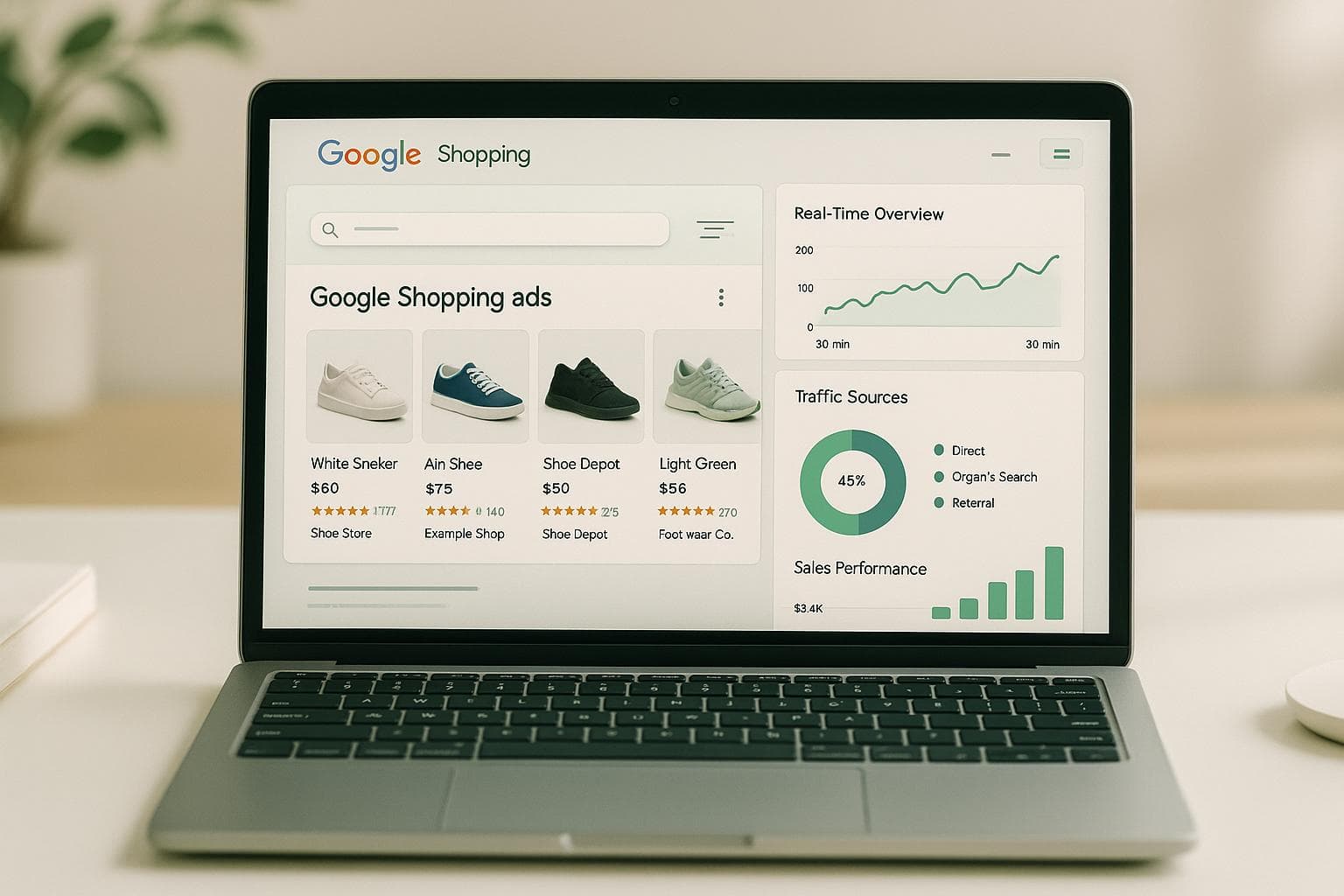
Tracking Google Shopping ads in real time helps you make instant adjustments to improve performance and reduce wasted ad spend. Unlike delayed reporting, real-time tracking shows live campaign data, enabling quick changes like pausing underperforming ads or reallocating budgets. Businesses using this approach see up to 30% higher ROI and 20% better conversion rates.
Key Steps for Real-Time Tracking:
- Set Up Accounts: Link Google Ads, Merchant Center, and Analytics.
- Conversion Tracking: Configure Google Ads to track purchases and other user actions.
- Google Tag Manager (GTM): Use GTM to manage event tracking and ensure accurate data collection.
- Testing: Regularly test your setup to avoid tracking issues.
Tools to Simplify Tracking:
- Google Dashboards: Monitor real-time metrics like clicks, conversions, and CPA.
- Feedcast: A unified platform to manage and optimize campaigns across multiple channels with AI-driven insights.
Benefits of Real-Time Data:
- Make immediate bid adjustments based on live performance.
- Identify and fix issues like ad spend spikes or low-performing products.
- Use AI tools to optimize bids and budgets automatically.
For e-commerce brands managing multiple products, platforms like Feedcast save time and improve results by consolidating data in one place. Real-time tracking ensures you can act on live data to stay competitive and boost campaign efficiency.
Google Ads Conversion Tracking Tutorial (With GTM) | Step-by-Step Tutorial
What You Need Before Starting
Before diving into real-time tracking, it's essential to connect the necessary Google accounts to avoid potential headaches down the line.
Required Accounts and Connections
Getting Google Shopping tracking up and running requires three key accounts: Google Ads, Google Merchant Center, and Google Analytics. Each one plays a unique role in ensuring smooth tracking and campaign management.
Google Ads: This is where you’ll create and manage your Shopping campaigns, set up conversion tracking, and monitor performance in real time. Make sure you have admin access to adjust campaign settings and set up conversion actions.
Google Merchant Center: This links your product inventory to your Shopping ads. To use it, you’ll need a verified website and compliance with Google’s Shopping policies [6]. Your product feed must include critical details like product ID, title, price, and availability [2]. For advanced tracking, you can add the
ads_redirectattribute to your product feed, which lets you use dynamic tracking URLs to route traffic through a tracking server before landing on your product page [2].Google Analytics: This tool provides deeper insights into user behavior, helping you optimize campaigns in real time. You can track actions like time spent on product pages, items added to carts, and completed purchases. According to Google, advertisers who use conversion tracking see an average 15% increase in conversions due to improved optimization and data-driven decisions [5].
Keeping your product feed updated with accurate inventory, pricing, and availability not only improves tracking precision but also boosts your ad quality scores.
Once you’ve set up these accounts, the next step is linking them together for seamless data sharing.
Connect Google Ads with Analytics
Linking Google Ads and Google Analytics is a simple but critical step for tracking your campaign’s full performance [7]. To do this, log into Google Analytics, go to Admin ► Product Linking ► Google Ads Linking, and click "New Link Group" to connect your accounts [7].
This connection allows conversion data from Google Analytics to flow directly into Google Ads. You’ll gain insights into how users interact with your website after clicking on your Shopping ads. For example, conversion goals set up in Google Analytics will automatically sync with Google Ads, giving you a complete picture of your campaign’s effectiveness - from clicks to purchases or sign-ups.
After linking, enable auto-tagging and define goals that align with your business priorities. This integration also unlocks remarketing opportunities, letting you target audiences based on their behavior - an especially useful feature during busy shopping seasons when re-engaging high-intent users can drive more sales.
This integration is key to getting a unified view of your campaign performance.
Using Feedcast for Simplified Setup
If managing all these platforms feels overwhelming, Feedcast can simplify the process. It’s a unified platform that helps you handle campaigns across multiple channels with ease. Instead of manually configuring Google Ads, Google Analytics, and Google Merchant Center, Feedcast automates much of the setup with pre-built integrations.
Feedcast is trusted by thousands of e-commerce brands [1]. It allows you to import products from platforms like Shopify, WooCommerce, and Prestashop - or even from files like Google Sheets, CSV, or XML. Its AI tools automatically enhance product data, improving titles, descriptions, and other attributes to boost both tracking accuracy and ad performance.
"Feedcast enriches your product data with AI to optimize their visibility across all advertising channels." - Feedcast.ai [1]
As a certified Google CSS partner, Feedcast helps reduce Google Shopping costs while improving ad performance [1]. It consolidates setup tasks and offers real-time tracking via automated integrations.
For businesses new to Google Shopping or those juggling multiple advertising channels, Feedcast can save significant time. Instead of spending days sorting out individual platform configurations and troubleshooting, you can have everything ready in just a few hours. This is particularly helpful when you’re launching campaigns quickly or gearing up for high-traffic periods.
How to Set Up Real-Time Tracking
Setting up accurate real-time tracking is key to making immediate campaign adjustments and improving performance. With your accounts connected, it's time to configure a tracking system to monitor your Google Shopping ads. This involves three main steps: setting up conversion tracking in Google Ads, configuring Google Tag Manager (GTM) for event tracking, and testing everything to ensure it works smoothly.
Set Up Conversion Tracking in Google Ads
Conversion tracking is the backbone of real-time monitoring. It shows what happens after someone clicks on your Shopping ad - whether they make a purchase, add items to their cart, or take other meaningful actions.
To get started, log into your Google Ads account and go to Tools & Settings > Measurement > Conversions. Click the plus sign to create a new conversion action. You’ll want to set up separate actions for each customer behavior you’re tracking.
For purchase conversions, choose "Purchase" as the category and set the value to reflect the actual value of each transaction - this is especially important for products with varying profit margins. Set the conversion count to "Every" to ensure all purchases are tracked, not just one per ad click [9].
For add-to-cart events, create another conversion action under the "Add to cart" category. This will help you identify which products are generating interest and may need adjustments like pricing tweaks or better descriptions.
Adjust your conversion windows based on your typical customer journey. Google Ads lets you choose click-based windows from 7 to 90 days and view-through windows from 1 to 30 days [9]. Many e-commerce businesses find a 30-day click window and a 1-day view window effective, but you should tailor these settings to fit your business.
Enable Enhanced Conversions for more precise tracking. This feature uses hashed customer data, like email addresses, to improve attribution and reporting - a helpful tool as third-party cookies become less reliable [3].
Once your conversion actions are set up, Google Ads will generate a conversion ID and label for each one. Save these details - you’ll need them for the next step.
Configure Google Tag Manager for Event Tracking
Google Tag Manager (GTM) simplifies tracking by letting you deploy tags without constantly editing your website’s code [3][8]. If you haven’t installed GTM yet, add the container code to both the header and body sections of your website.
In your GTM dashboard, go to Tags > New to create a new tracking tag. Under Tag Configuration, select Google Ads Conversion Tracking and enter the conversion ID and label from Google Ads [8].
To track purchases, create a trigger that fires on your order confirmation page. Use the Page View trigger type and configure it to activate when the page URL contains a confirmation path like "/order-complete" or "/thank-you."
Set up a data layer to pass transaction details such as order value, currency, and product IDs. Create GTM variables like {{Transaction Value}} to capture dynamic values [8]. For example, if a customer buys a $150 jacket and a $75 shirt, your setup will record the exact transaction value of $225 instead of a generic number. This level of detail helps you optimize bids for higher-value products.
For add-to-cart tracking, create a separate tag and trigger. This trigger can activate when customers click the "Add to Cart" button or when a specific JavaScript event occurs on your product pages.
Ensure your tags pass dynamic values. In the conversion value field, use your data layer variable (e.g., {{Transaction Value}}) instead of a fixed number, so each conversion reflects its actual monetary value.
Once GTM is configured, the next step is to confirm that everything works as expected.
Test Your Tracking Setup
Testing is essential - broken tracking can waste ad spend and hinder optimization. Use GTM's Preview Mode and Google Tag Assistant to make sure all tags fire correctly [3][8].
Simulate a complete customer journey: view a product, add it to your cart, and complete a purchase. The purchase conversion tag should only fire on the confirmation page, while the add-to-cart tag should activate when you click the cart button.
After testing in Preview Mode, publish your GTM container. Then, perform another test purchase and verify your Google Ads conversion tracking by navigating to Tools & Settings > Measurement > Conversions. Look for the status indicator next to each conversion action - it should say "Recording conversions."
Make it a habit to test regularly, especially after website updates or changes to your checkout process. Routine checks can prevent long periods of poor campaign performance caused by unnoticed tracking issues.
If you’re using Feedcast, this process becomes much simpler. Feedcast automates tracking, monitors your setup, and alerts you to potential problems before they impact your campaigns. This ensures your data stays reliable as your business grows.
sbb-itb-0bd1697
Tools for Real-Time Monitoring
Keeping an eye on your campaigns in real time allows you to make quick adjustments and improve your return on investment (ROI). Once your tracking setup is in place, the next step is choosing the right tools to monitor your Google Shopping ads effectively. Tools that provide immediate insights help you identify trends as they happen. Three key options stand out: Google's built-in dashboards, platforms like Feedcast, and custom alert systems.
Google Ads and Analytics Dashboards
Google Ads offers real-time reporting to track campaign activity with minimal delay. By navigating to the Campaigns tab, you can customize columns to display critical metrics like impressions, clicks, conversions, and cost-per-acquisition (CPA). Applying filters - such as by device type, geographic location, or product IDs - helps you zero in on the segments driving results.
For a closer look at user behavior, Google Analytics provides real-time reports that show active users engaging with your site. Under Reports > Real-time > Overview, you can monitor how many people are interacting with products linked to your Shopping ads. The Conversions section even lets you watch purchases as they occur. If you’ve enabled enhanced eCommerce tracking, you can see which specific products are being purchased in real time. This works hand-in-hand with your conversion tracking and Google Tag Manager setup.
While Google Ads and Analytics offer detailed insights, switching between platforms to get a complete picture can slow you down when quick decisions are needed. For seamless monitoring, a unified platform might be a better fit.
Feedcast's Dashboard Features
Feedcast simplifies real-time monitoring by consolidating performance data across all your advertising channels into one dashboard. Instead of juggling multiple accounts, you can view metrics like impressions, clicks, conversions, and ROI in a single place.
The platform’s dynamic analytics and custom reporting tools allow you to tailor views to your business needs. Whether you’re focusing on specific product categories, comparing performance across channels, or tracking data by region, Feedcast makes it easy to spot trends and opportunities. Its segmentation tools also help you organize data by product, audience, or device type, while enabling cross-channel comparisons to see how a product performs on Google Shopping versus other platforms.
Feedcast also automatically identifies feed errors and offers actionable fixes, ensuring small issues don’t snowball into big problems. As a certified Google CSS partner, it provides additional cost-saving benefits. Trusted by over 3,000 e-commerce brands, Feedcast offers pricing options starting with a free tier, scaling up to $249 per month for premium features like unlimited channels and AI-driven optimization tools. These features make it easier to manage real-time data efficiently.
Create Custom Alerts and Data Segments
Custom alerts are a powerful way to stay informed when metrics like cost-per-conversion or conversion rate deviate from your set benchmarks. In Google Ads, you can create automated alerts under Tools & Settings to receive email notifications, ensuring you can respond quickly even if you’re not actively monitoring your dashboards.
Similarly, Google Analytics includes alerting capabilities through Custom Alerts in the Admin section. For instance, you might set an alert to notify you if Shopping campaign traffic jumps by 50% in a single day - potentially signaling a competitor issue or a viral product moment that needs immediate attention.
Segmenting your data is another effective strategy. By categorizing high-value products, mobile users, or specific regions, you can quickly identify patterns. Google Ads allows you to create custom segments for these categories, while Feedcast takes it a step further with cross-channel segmentation, letting you compare performance across platforms easily.
Here’s a real-world example: In March 2023, an e-commerce brand using Feedcast set up custom alerts for its Google Shopping ads. One alert flagged a 20% drop in conversion rates. Upon investigation, the team discovered a mobile checkout issue, which they resolved within hours. This quick fix led to a 15% increase in conversions over the next two weeks[3].
How to Use Real-Time Data for Better Results
Once you've set up real-time tracking, you can use this immediate flow of data to make quick, informed decisions that improve your campaign performance. Instead of waiting days - or even weeks - to identify problems, you can spot opportunities and challenges as they arise, allowing you to act swiftly to protect your budget and improve results.
Make Campaign Changes Based on Live Data
Real-time data lets you adjust your campaigns on the fly. For example, if you notice a drop in click-through rates or an increase in cost-per-acquisition, you can lower bids or pause underperforming ads right away. On the flip side, when performance is strong, you can increase budgets and bids to capitalize on the momentum.
If live data shows a spike in conversions for certain products, you can reallocate budgets immediately to focus on those high-performing items. This kind of quick decision-making can be the difference between a campaign that thrives and one that wastes resources.
Competitor activity can also impact your campaigns. If a rival adjusts their pricing and it affects your ad impressions, you can tweak your bids or pricing in response. Similarly, if a product goes out of stock, pausing its ads immediately avoids wasting money and potential penalties from Google for advertising unavailable items[4].
Real-time tracking also sharpens your geographic and device-level adjustments. For instance, if mobile users in California are converting at twice the rate of desktop users in New York, you can adjust your bid modifiers within minutes instead of waiting for a weekly report to act.
Use AI-Powered Optimization
Platforms like Feedcast take real-time optimization to the next level by using AI tools to analyze performance metrics across all your connected channels. These tools can uncover high-return opportunities that manual monitoring might miss - like identifying trending products or underperforming items that need immediate adjustments.
AI doesn’t just react; it continuously fine-tunes bids, budgets, and targeting based on live performance. For instance, it can automatically adjust bids during peak performance hours, ensuring you’re maximizing returns when it matters most.
Feedcast’s predictive analytics go a step further by anticipating market shifts before they fully impact your campaigns. This allows you to make proactive adjustments based on emerging trends.
Cross-channel optimization also becomes seamless with AI. By processing real-time data from platforms like Google Shopping, Meta, and Microsoft Ads simultaneously, the AI determines which products perform best on each platform. It then reallocates budgets accordingly, ensuring you get the highest ROI across all channels.
Manual vs. Automated Tracking Comparison
Whether you rely on manual tracking or automated tools, understanding the strengths of each approach is key to optimizing your campaigns.
| Feature | Manual | Automated |
|---|---|---|
| Data Coverage | Limited and time-intensive | Broad, covering multiple channels |
| Update Frequency | Delayed (hours or days) | Near-instant and continuous |
| Error Risk | High (human error, missed changes) | Low (consistent, automated adjustments) |
| Response Speed | Slow (requires manual intervention) | Immediate (real-time adjustments) |
| Scalability | Challenging for large catalogs | Effortless, handles thousands of SKUs |
| Insights | Basic | Advanced, AI-driven, and predictive |
| Resource Requirement | High (manual effort and expertise) | Low (centralized and automated) |
| ROI Impact | Varies | Optimized for higher returns |
Manual tracking can work well for smaller catalogs with fewer products, where performance can be monitored closely. However, as the number of products grows - especially when managing hundreds or thousands of SKUs across multiple channels - manual tracking becomes overwhelming. The delays in identifying and addressing issues can lead to wasted budget and missed opportunities.
On the other hand, automated tracking platforms like Feedcast excel in handling large-scale operations. These systems continuously process massive amounts of data, identifying patterns and opportunities that human analysis might overlook. According to industry data, advertisers using AI-powered optimization for Google Shopping campaigns have seen up to a 30% increase in ROAS and a 25% reduction in wasted ad spend compared to manual methods[6].
Ultimately, the right approach depends on your specific needs. Smaller businesses with fewer than 50 products may find manual tracking manageable, but larger operations typically benefit from automated tools that can keep up with the fast pace of real-time market changes. This highlights just how critical real-time data is for staying competitive in e-commerce.
Summary
To enable real-time tracking, you need to link Google Ads and Analytics, configure conversion tracking, and set up event tracking using Google Tag Manager. This setup allows you to monitor ad performance as it happens, make immediate bid adjustments, and protect your advertising budget.
By identifying changes within minutes, you can tweak bids, pause low-performing ads, and reallocate budgets effectively. Automated tracking enhances these efforts, potentially improving return on ad spend (ROAS) by up to 30% [6]. Access to instant data ensures you can make informed decisions without delay.
Feedcast simplifies this process with a unified dashboard that integrates platforms like Google, Meta, and Microsoft Ads. It provides real-time analytics and AI-driven optimization. As a certified Google CSS partner, Feedcast helps reduce costs while increasing ad visibility.
Automation consistently outperforms manual tracking, no matter the scale of your business. Over 3,000 e-commerce brands rely on Feedcast to streamline their advertising efforts. Features like AI-enhanced product feeds, automated bid adjustments, and cross-channel insights make it a powerful tool. With a free tier and scalable plans, Feedcast makes real-time tracking accessible for businesses of all sizes, from small online shops to large-scale enterprises managing multiple advertising channels.
In short, real-time tracking is a game-changer for efficiency and profitability in today’s competitive e-commerce market. Businesses that act quickly on live data consistently outpace those relying on delayed insights. By following the setup outlined here and leveraging AI-powered tools, you can significantly improve the performance of your Google Shopping ads.
FAQs
How does real-time tracking of Google Shopping ads help improve ROI and conversions?
Real-time tracking lets you keep a close eye on how your Google Shopping ads are performing as events unfold. This means you can make quick adjustments to improve your campaigns. By working with the most current data, you can sharpen your targeting, increase product visibility, and make smarter decisions to drive higher ROI and conversion rates.
Tools like Feedcast.ai make this process easier by providing real-time performance tracking and in-depth insights. With features such as performance segmentation and centralized analytics, you can spot trends and tweak your strategies for more effective results.
What tools and accounts do I need to set up real-time tracking for Google Shopping ads?
To get real-time tracking up and running for your Google Shopping ads, you'll need both a Google Ads account and a Google Merchant Center account. These two platforms work hand in hand to handle your product listings and ad campaigns. On top of that, integrating Google Analytics can give you a clearer picture of how your ads are performing and help you understand user behavior better.
If you're looking to simplify the process, platforms like Feedcast.ai can be a game-changer. It helps manage your ads, fine-tune your product data, and track performance in real time across various advertising channels, including Google Shopping. This approach not only saves time but can also help you get more out of your campaigns.
How can Feedcast make managing ads across multiple platforms easier and more efficient?
Feedcast makes managing ads across multiple platforms a breeze by offering a single, unified dashboard. From Google and Meta to Microsoft Ads, it brings everything together, allowing you to handle product feed management, create ads, and track performance - all in one place. This approach cuts down on time and eliminates unnecessary complexity.
Using AI-driven tools, Feedcast takes things up a notch by refining product data, fine-tuning targeting, and automating ad creation. The result? Businesses can boost their ROI while simplifying their advertising process.
Yohann B.