A product image studio inside Feedcast
Feedcast2 min
Generation, guided retouching and one-click background removal, straight from your product listings — with variants kept while you decide.
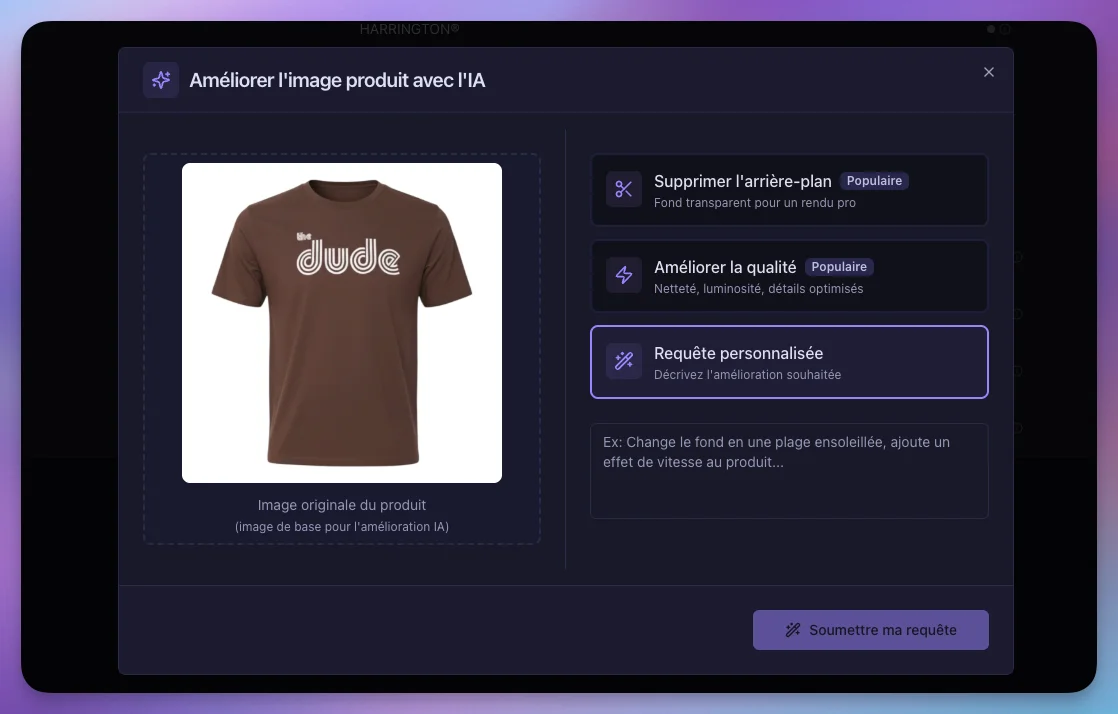
You can now generate and retouch your product visuals without leaving Feedcast: assisted generation, guided retouching, one-click background removal, and a gallery of variants while you make up your mind.
The problem: the visual is the first filter
On Google Shopping as on Meta, your ad is an image first. A cluttered background, sloppy framing, a 600-pixel supplier photo: the ad gets served, but it won't get clicked. And on the listings where it matters most, redoing visuals means a round trip with a designer or an external tool — so it never happens for long-tail products.
What's new
Generation starts from your listings. You launch creation from the product, with its context, instead of starting from a blank page in another tool.
Background removal is immediate. One click to strip the background and start from a clean base that complies with channel requirements.
Retouching is guided. Framed adjustments rather than an infinite palette of options: the goal is a compliant, sellable visual, not a design suite.
Variants are kept. Each batch stays available while you select: browse the proposals, compare, pick the one that lands. Nothing is overwritten before you confirm.
Validation is collaborative. Your team sees what's proposed and approves it before it reaches the catalog.
Why it matters
The perceived quality of a catalog is decided by images long before copy. Improving the visuals of your most-served listings is one of the rare levers that moves click-through rate without touching bids — so without increasing budget.
The studio is available from your product listings. Usage runs on AI credits, which we cover in the next article. Learn more about the AI studio.


